IT solutions for small and medium offices
Everything an office needs from its IT team, from the help desk and security to Microsoft 365, networks, internet and phones. Take one service, or let us look after the lot for one monthly price.

Managed IT
One monthly price per person for support, security, updates and backups. Your outsourced IT team.
Managed IT
IT support
Remote and onsite help when you need it, billed by the hour. No plan, no contract.
IT support
Cyber security
Practical protection against scams, ransomware and account takeover, set up and kept current.
Cyber security
Microsoft 365
Licences, email, Teams and SharePoint set up properly, moved across safely and managed for you.
Microsoft 365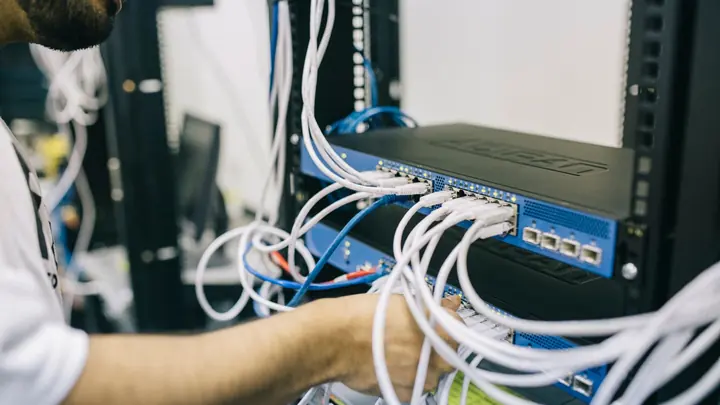
Networks & Wi-Fi
Firewalls, switches, Wi-Fi and structured cabling that are designed, labelled and documented.
Networks & Wi-Fi
Internet & phones
Business fibre, backup connections and cloud phone systems, set up and supported by the same team.
Internet & phones
Backup & disaster recovery
Backups of Microsoft 365, servers and key files, checked daily and test-restored, plus a written recovery plan.
Backup & disaster recovery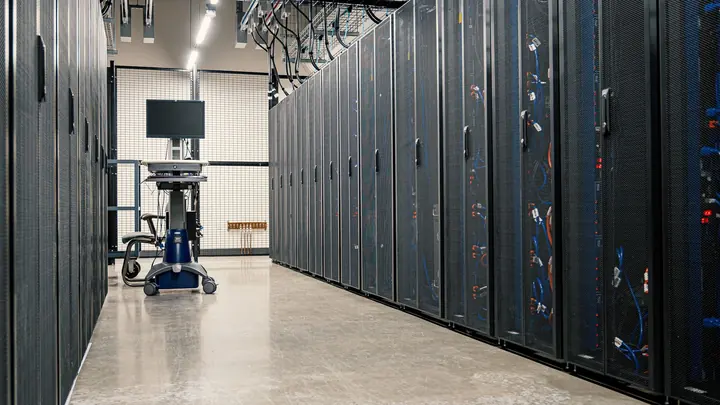
Cloud & servers
Onsite servers, NAS and Azure set up and looked after, or your old file server moved to the cloud.
Cloud & serversEmail security & deliverability
Phishing filtering, SPF, DKIM and DMARC set up so scams stay out and your own email stops landing in junk.
Email security & deliverabilitySecurity awareness training
Short security lessons and safe practice phishing emails that teach staff to spot scams before they click.
Security awareness training
CCTV & access control
Office CCTV and door access control on your network, set up securely and managed alongside the rest of your IT.
CCTV & access control
Printers, copiers & scanning
Office printers and copiers set up and supported: scan to email and folder, print management and fleet care.
Printers, copiers & scanning
Laptops, PCs & devices
Business laptops and PCs supplied or leased, set up automatically, tracked through warranty and wiped securely.
Laptops, PCs & devicesOffice moves & fit-outs
IT planning for office moves and fit-outs: cabling, internet lead times, the move weekend and day-one checks.
Office moves & fit-outsIT strategy & consulting
A virtual IT manager for your business: budgets, roadmaps, vendor management and straight answers for insurers.
IT strategy & consultingCo-managed IT
Support for your in-house IT person: our tools, security, backup and a team behind them for projects and leave cover.
Co-managed IT
Azure Virtual Desktop & hosted desktops
Windows desktops hosted in Microsoft Azure, so staff can run office software securely from any device, anywhere.
Azure Virtual Desktop & hosted desktopsDevice management with Microsoft Intune
Laptops and phones managed with Microsoft Intune: zero-touch setup, security policies, lost device wipes and BYOD rules.
Device management with Microsoft IntuneSharePoint, file storage & intranets
SharePoint set up so files are easy to find, permissions make sense and staff have an intranet they actually use.
SharePoint, file storage & intranetsMicrosoft Teams setup & adoption
Teams set up with a clear structure, safe guest access and working meeting rooms, plus help so staff use it well.
Microsoft Teams setup & adoptionMicrosoft Copilot & AI readiness
Get ready for Microsoft Copilot and AI tools safely: fix file permissions, set clear rules and find real everyday uses.
Microsoft Copilot & AI readinessGoogle Workspace setup, support & migration
Google Workspace set up, secured and supported, plus planned moves to or from Microsoft 365 with no lost mail or files.
Google Workspace setup, support & migrationBusiness password managers
A business password manager rolled out to every staff member, with shared vaults, clean offboarding and passkey support.
Business password managersIdentity, single sign-on & multi-factor authentication
One secure sign-in for every work app, protected by phishing-resistant multi-factor and rules on where people sign in.
Identity, single sign-on & multi-factor authentication
Endpoint protection & EDR
Modern endpoint protection on every business computer: threat detection, automatic isolation and people checking alerts.
Endpoint protection & EDRManaged firewalls & secure remote access
Business firewalls installed, patched and watched, with secure remote access for staff explained and set up properly.
Managed firewalls & secure remote access
SD-WAN & multi-site networks
Branches, shops and satellite offices joined into one managed network, with automatic failover between links.
SD-WAN & multi-site networksVulnerability scanning & patch management
Regular scans for known weaknesses and a steady patching routine for Windows, Mac, apps, servers and network gear.
Vulnerability scanning & patch managementCyber incident response
Help when an account, computer or network is compromised: contain it, recover safely and learn what happened.
Cyber incident responseCyber insurance readiness
Help answering cyber insurance questionnaires honestly and putting the expected security controls in place.
Cyber insurance readinessPrivacy Act & IT compliance
Practical IT steps for meeting Privacy Act 2020 obligations: access, storage, breach handling and record keeping.
Privacy Act & IT compliancePenetration testing & remediation
Penetration tests arranged with independent specialists, then we fix what they find and confirm the fixes hold.
Penetration testing & remediationSecurity monitoring & alerting
Sign-in alerts, endpoint warnings and log review for Microsoft 365 and your devices, checked every business day.
Security monitoring & alertingData & file migrations
Files and mail moved from old servers, Dropbox, Google Drive or another tenancy into Microsoft 365, cleanly and on time.
Data & file migrationsBusiness continuity planning
A practical plan for keeping the business running if you lose the office, the internet or a key system.
Business continuity planningRemote & hybrid work setup
Home offices, secure access, Teams and laptops set up so staff work as well from home as from the office.
Remote & hybrid work setupMicrosoft Teams Calling
Your business phone numbers inside Microsoft Teams, with auto attendants, call queues and desk phones that work with it.
Microsoft Teams CallingHosted VoIP phone systems
Hosted VoIP with desk phones, reception consoles, call recording and mobile apps, ready for the copper switch-off.
Hosted VoIP phone systems0800 & local business numbers
0800 and local numbers set up, ported and routed by time of day, so every call reaches someone who can help.
0800 & local business numbersStarlink & satellite internet for business
Starlink for rural sites and as a backup connection, mounted, cabled and joined to your office network.
Starlink & satellite internet for business
IT procurement
The right laptops, screens, network gear and licences for your office, sourced vendor neutral and quoted in writing.
IT procurementMac & Apple support for business
Macs, iPhones and iPads managed properly with Apple Business Manager, in all-Apple or mixed Mac and PC offices.
Mac & Apple support for businessServer upgrades & migrations
Old Windows servers replaced before end of support, moved to the cloud or onto new hardware in planned stages.
Server upgrades & migrationsNAS & shared file storage
Synology and QNAP style NAS storage set up, secured and backed up offsite, or your files moved to SharePoint instead.
NAS & shared file storageAfter-hours & weekend IT work
Planned IT changes booked outside business hours, so upgrades and moves happen without stopping your office.
After-hours & weekend IT workStaff onboarding & offboarding IT
New starters ready on day one with a laptop and accounts, and leavers locked out properly with their data kept.
Staff onboarding & offboarding ITWhy one team for everything works better
When your computers, network, internet and phones are looked after by different companies, every fault becomes a negotiation. The phone provider says it is the internet. The internet provider says it is your router. The IT company says the router belongs to the phone provider. Meanwhile nobody can take a call.
With Office IT there is one team responsible from the desk to the street. We know how your systems connect, we hold the documentation and the admin access, and we are measured on one thing: whether your office can work.
It also makes the bills simpler. Managed IT is a fixed amount per person per month. Internet and phone plans are arranged at business rates and listed on one invoice. Projects such as an office move, new cabling or a server replacement are quoted in writing first.
Where to start
Most offices start with a free IT health check. A technician reviews your devices, accounts, backups, security, network and suppliers, then gives you a short written report with the risks ranked and a price to fix them. If you choose to go ahead, the report becomes the plan for your first month with us.
Monthly plan or one-off help?
Managed IT suits offices that rely on their computers every day and want a fixed monthly cost: support, security, updates, Microsoft 365 admin and backups are covered for one price per person. Pay-as-you-go IT support suits smaller teams with occasional problems, or anyone who wants to try us on a single job first. Networks, cabling, phone systems and migrations can be booked as one-off projects whether or not you are on a plan.
What we don't do
We don't do mains electrical work, which stays with a registered electrician, and we don't build custom software. We also won't sell you hardware or licences you don't need. If a cheaper option does the job, we'll say so.
How we keep it simple
Every customer gets a named technician who learns their office, a written record of how everything is set up, and one invoice a month. Requests come in by email or our online form and are answered by people who fix IT for a living. Changes are agreed before they happen, and anything that costs extra is quoted in writing first. When a problem keeps coming back we look for the cause and fix that, because chasing the same fault every week wastes your time and ours.
Not sure which service you need? Describe the problem in the form and we'll point you to the right one, even if that means a smaller job than you expected.
Platforms and equipment we support