
Microsoft Teams setup and adoption
Teams works best with a little structure and a few agreed habits. We set up teams and channels that match how your people work, control who outside the business can join, get meeting rooms connecting first time and show staff the parts of Teams that save them time.
Microsoft Teams setup & adoption for small and medium businesses
Teams often grows the same way in every office. Someone creates a team for each project, nobody archives the old ones, every chat becomes a group of twelve and files end up split between channels, private chats and email. Guests from a client job finished two years ago are still in the member list. People start to feel Teams adds noise rather than reducing it, and quietly fall back to email for anything that matters.
We fix that with a small amount of planning. Together we decide which teams should exist, usually one per department plus a few for long-running clients or projects, what the channels inside each are for and who may create new ones. Naming rules make teams easy to tell apart, expiry rules clear out ones nobody uses, and guest access is turned on only where it is needed, with guests reviewed on a regular cycle so former contacts drop off.
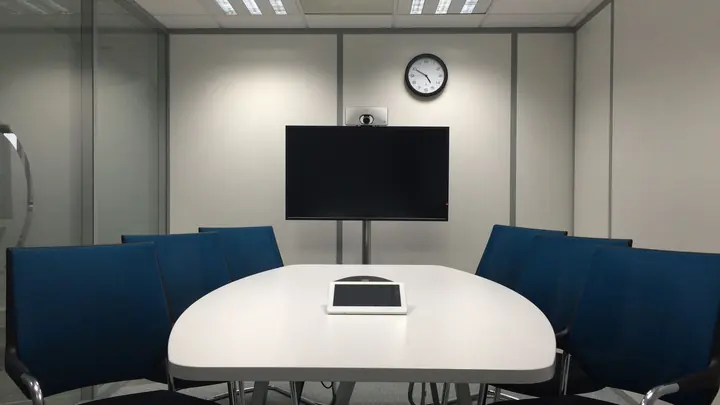
Meeting rooms deserve their own attention, because a meeting that starts ten minutes late while someone hunts for the right cable costs everyone. We help you choose room equipment that suits the size of each space, from a simple camera bar in a huddle room to a certified room system with a touch panel in the boardroom, and set it up to join meetings in one tap. Calling and phone numbers are a separate service; this page is about chat, files and meetings.
What's included
Team and channel plan
A short structure for teams and channels matched to your departments, clients and projects, agreed before anything is created.
Creation and naming rules
Clear naming and controls over who can create new teams, so the list stays readable as the business grows.
Guest and external access
Guest access enabled where needed, with regular reviews so clients and contractors lose access when work finishes.
Lifecycle and archiving
Expiry policies and archiving for inactive teams, keeping their files and history without cluttering everyone's list.
Meeting room setup
Camera bars, speakerphones, screens and room systems chosen for each room and set to join a meeting in one tap.
Meeting settings
Lobby, recording, transcription and presenter defaults set to suit internal meetings and meetings with clients.
Staff training
Short practical sessions on chat versus channels, sharing files, running meetings and keeping notifications under control.
Team owner guidance
A one-page guide for the people who own each team, covering membership, guests and when to archive.
Who is Teams setup and adoption for?
Teams work tends to help offices where:
- There are dozens of teams and nobody knows which ones matter
- Client guests from old jobs still appear in your teams
- Meetings in the boardroom regularly start late because of the equipment
- Staff say they miss messages or get far too many notifications
- Files are spread between Teams chats, channels and email attachments
Not sure where to start?
Our free IT health check looks at your devices, accounts, backups, security and network. You get a short written report with what is working, what is at risk and a price to fix it. No obligation.
Book the health checkMicrosoft Teams setup & adoption questions
Should we use chat or channels?
Use chat for quick conversations between a few people. Use channels for work that a whole team needs to see and find later, such as a client job or a department's updates. We help you agree a simple rule and stick to it.
Is guest access safe?
It can be, with the right settings. Guests see only the team they are invited to, can be required to use multi-factor sign-in and can be reviewed regularly. We turn it on deliberately rather than leaving it wide open.
What meeting room equipment do we need?
It depends on the room. A small room usually needs a camera bar and the screen already on the wall. Larger rooms benefit from a certified room system with its own touch panel. We recommend equipment after looking at each space, with hardware quoted in writing first.
Do meeting rooms need their own licence?
Dedicated room systems generally need a Teams Rooms licence. A simpler setup where someone connects their laptop to a camera bar does not. We explain the cost of each before you choose.
Does this include Teams calling?
No. Phone numbers and calling through Teams are covered separately under business phones. This service covers chat, channels, files, guests and meetings.
Can we keep old teams for reference?
Yes. Archived teams become read-only and disappear from day-to-day lists, but their conversations and files remain searchable and can be restored if needed.
How much does Teams setup cost?
Teams comes with most Microsoft 365 business plans. Planning, cleanup, training and room setup are quoted in writing first; day-to-day admin is part of your plan or billed at $109 an hour remote plus GST.
Other ways we help

Managed IT
One monthly price per person for support, security, updates and backups. Your outsourced IT team.
Managed IT
IT support
Remote and onsite help when you need it, billed by the hour. No plan, no contract.
IT support
Cyber security
Practical protection against scams, ransomware and account takeover, set up and kept current.
Cyber security