
Starlink and satellite internet for rural sites and backup
For a farm office, a remote depot or a site with no fibre, satellite internet can be the difference between working online and driving into town. For a city office, it can be a backup that keeps you trading when the fibre is cut. We plan the dish location, mount it, run the data cable and connect it properly to your network.
Starlink & satellite internet for business for small and medium businesses
Satellite internet has become a practical option for business. Low-orbit services such as Starlink offer speeds and delays that suit video calls, cloud software and Microsoft 365, in places where fibre will not arrive for years and wireless signal is patchy. The catch is that a dish placed on the ground behind a shed, with a cable through an open window, will give you trouble. Placement, mounting and cabling decide whether it works well every day or only some days.
We start with a site check. The dish needs a clear view of a wide patch of sky, away from trees, roof ridges and anything that will grow or be built in front of it. We pick a mount that suits the roof, wall or pole, run the data cable through a proper entry point and weatherproof it, and connect the supplied power unit to an existing power outlet. If a new outlet is needed, a registered electrician installs it; we only do the low-voltage work.
Inside, satellite internet should join your office network rather than sit beside it with its own Wi-Fi. For rural sites it becomes the main connection, plugged into your firewall with your usual security, Wi-Fi and printers. For offices with fibre, we set it up as a second connection on a router that switches over automatically when the fibre drops, then back when it returns. Either way, the setup is written down and monitored under your plan.
What's included
Site survey
We check the sky view, roof type, cable route and where your network equipment sits, then recommend a dish position and mount in writing.
Mounting
Roof, wall or pole mounts fitted securely and positioned for a clear view of the sky, with height access arranged where the roof needs it.
Low-voltage cabling
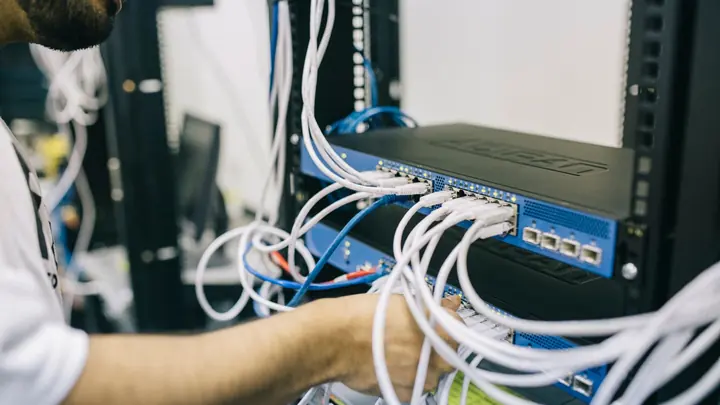
The data cable run through a sealed entry, clipped neatly and protected where it is exposed, ending at your network cabinet or office.
Network integration
The service connected to your firewall or router, so your existing Wi-Fi, security rules and devices all keep working as before.
Automatic failover
For offices with fibre, a dual-connection router that moves traffic to satellite when the fibre fails and back again when it recovers.
Wi-Fi for larger sites
Access points across sheds, workshops and homesteads so the connection reaches where people actually work, not just the room with the router.
Testing and handover
Speed, delay and failover tested, with a short written note on where everything is mounted and how to restart it if needed.
Monitoring
The connection watched under your plan, so outages and slowdowns are noticed and investigated rather than left to someone to report.
Who is Starlink and satellite internet for?
Satellite internet is worth considering if:
- Your site has no fibre and wireless broadband is slow or unreliable
- You run a farm, orchard, depot or rural practice that needs cloud software
- A fibre outage would stop your phones, EFTPOS or bookings
- You set up temporary site offices that need internet quickly
- Your current dish was installed in a hurry and drops out regularly
Not sure where to start?
Our free IT health check looks at your devices, accounts, backups, security and network. You get a short written report with what is working, what is at risk and a price to fix it. No obligation.
Book the health checkStarlink & satellite internet for business questions
Is Starlink good enough for Microsoft 365 and video calls?
In most locations with a clear view of the sky, yes. Speeds and delays suit email, cloud files and video meetings. Heavy rain and obstructions can cause short dropouts, which is why placement matters so much.
Do you do the electrical work?
No. We do low-voltage work only: mounting, data cabling and network setup. The supplied power unit plugs into an existing outlet. If a new power outlet is needed near the equipment, a registered electrician installs it.
Can Starlink be a backup for our fibre?
Yes. With a router that supports two connections, traffic moves to satellite automatically when the fibre fails and back when it returns. Phones and cloud software keep working with little interruption.
Who do we buy the Starlink service from?
You hold the service plan in your business name so you control it. We help you choose the right plan and hardware, and give you the costs in writing before anything is ordered.
Can you come to a rural site outside Auckland and Hamilton?
Our technicians work onsite in Auckland and Hamilton. Installations elsewhere are planned project work arranged by agreement, and remote support covers the rest of New Zealand once the connection is up.
Will trees or buildings affect it?
Yes. Anything blocking part of the sky can cause regular short dropouts. We check the view during the survey and, where it helps, use a taller pole or a different roof position.
How much does installation cost?
It depends on the mount, roof height and cable run. Installation is quoted in writing first after the site survey.
Other ways we help

Managed IT
One monthly price per person for support, security, updates and backups. Your outsourced IT team.
Managed IT
IT support
Remote and onsite help when you need it, billed by the hour. No plan, no contract.
IT support
Cyber security
Practical protection against scams, ransomware and account takeover, set up and kept current.
Cyber security