
Microsoft Teams Calling for small and medium offices
If your staff already chat and meet in Teams, their phone calls can live there too. We connect your business numbers to Teams, build the menus and queues callers hear, and set up desk phones and headsets for the people who still want something on the desk.
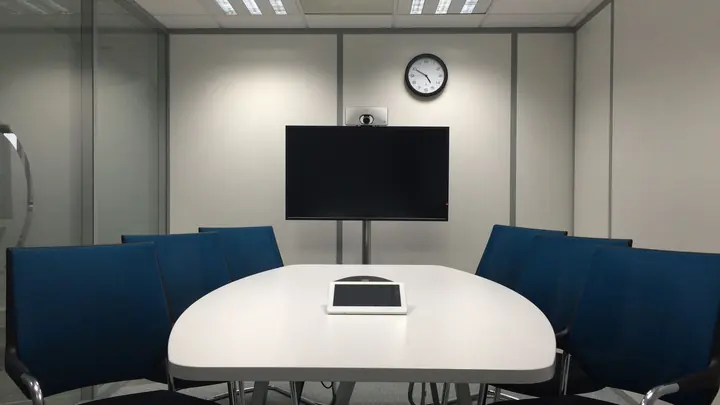
Microsoft Teams Calling for small and medium businesses
Many offices pay for Microsoft 365, use Teams all day, and then run a completely separate phone system beside it with its own handsets, its own app and its own bill. Calls land on a desk phone while the person is working from home, voicemail goes to an inbox nobody checks, and a new starter needs accounts in two places. Teams Calling folds the phone into the tool people already have open, on the laptop, the mobile app and a desk phone if they want one.
Getting there takes more than ticking a box. Each person who makes calls needs a Teams Phone licence, and Teams needs a connection to the public phone network through a carrier that supports it. Your existing numbers are ported across on a planned date, so the main number never goes dark. We check your current plans, contract end dates and licences first, then give you a written comparison of keeping what you have against moving to Teams.
The part callers notice is the call flow. We design the greeting, the business-hours menu, the after-hours message and the holiday schedule with you, then build call queues so a sales or support call rings the right group rather than one person. Missed calls go to a shared voicemail that the team can see. Before the switch, we test every path from an outside line, including what happens when nobody answers and what a caller hears late on a Friday.
What's included
Readiness check
We review your Microsoft 365 licences, internet connection, current phone contract and number list, and tell you in writing what has to change before calls move to Teams.
Licences and carrier connection
Teams Phone licences assigned to the right people and a New Zealand carrier connection set up so Teams can make and receive ordinary calls.
Number porting
Your main number, direct dials and fax-to-email numbers moved across on an agreed cutover date, with the old service left in place until the port is confirmed.
Auto attendants
Greetings and press-one-for menus built for business hours, after hours and public holidays, recorded or text-to-speech, and easy to change later.
Call queues
Sales, accounts or support groups that ring together or in turn, with overflow rules and a shared voicemail so calls are not lost when everyone is busy.
Desk phones and headsets
Teams-certified desk phones, conference room speakers and headsets chosen, set up and signed in, so they work without a laptop open.
Mobile and home working
The Teams app set up on staff phones so the business number follows the person, with caller ID showing the office number rather than a personal mobile.
Training and changes
A short session for reception and staff on transfers, parking calls and voicemail, then ongoing changes to menus and users handled under your plan.
Who is Microsoft Teams Calling for?
Teams Calling is usually worth a look if:
- Your staff already use Teams every day for chat and meetings
- Your current phone system contract or hardware is coming to an end
- People work from home and miss calls to their desk phone
- You want a menu and call queues without buying a phone server
- Adding a new starter means setting up two separate systems
- You are paying for phone lines in rooms nobody uses any more
Not sure where to start?
Our free IT health check looks at your devices, accounts, backups, security and network. You get a short written report with what is working, what is at risk and a price to fix it. No obligation.
Book the health checkMicrosoft Teams Calling questions
Do we need new phones to use Teams Calling?
Not necessarily. Most people make calls from the Teams app on their laptop or mobile with a decent headset. Desk phones are optional, but if you want them they need to be Teams-certified models, since older handsets from a previous system usually cannot be reused.
Can we keep our existing phone numbers?
In most cases, yes. Numbers are ported from your current provider to the carrier that connects Teams. We check each number first, plan the port for a quiet time and keep the old service running until the move is confirmed.
What licences do we need?
Each person who makes or receives external calls needs a Teams Phone licence on top of their Microsoft 365 plan, plus calling minutes from the carrier. Shared devices such as meeting rooms and lobby phones have their own licence types. We list exactly what you need before anything is bought.
Will call quality be good enough?
Teams calls run over your internet connection, so quality depends on that connection and your office network. We test both during the readiness check and fix problems such as poor Wi-Fi or an overloaded router before calls move across.
Can reception still transfer calls the way they do now?
Yes. Reception can see who is available, transfer with or without announcing the caller, park calls and pick up for colleagues. We run through the common tasks with them before go-live so the first morning is not a surprise.
What happens if the internet goes down?
Calls can be forwarded to mobiles and staff can keep answering on the Teams mobile app over cellular data. For offices that rely heavily on phones we can also add a backup internet connection.
How is it priced?
Licences and carrier calling are monthly costs we list for you in writing. The setup project is quoted in writing first, and day-to-day changes such as adding users or editing menus are covered by your support plan.
Other ways we help

Managed IT
One monthly price per person for support, security, updates and backups. Your outsourced IT team.
Managed IT
IT support
Remote and onsite help when you need it, billed by the hour. No plan, no contract.
IT support
Cyber security
Practical protection against scams, ransomware and account takeover, set up and kept current.
Cyber security