
IT support for aged care and retirement villages
Care never stops overnight, so the systems behind it cannot either. We look after the networks, devices and records that aged care facilities and retirement villages rely on at every hour.
IT for aged care & retirement villages
An aged care facility runs day and night, with nurses, caregivers, kitchen staff and managers all depending on technology in different ways. Care staff record observations, medication rounds and incidents on tablets or shared PCs. Managers handle rosters, funding paperwork, family communication and audits against the Ngā Paerewa Health and Disability Services Standard. Residents and their visitors increasingly expect Wi-Fi in their rooms for video calls with family. Each of those uses puts different demands on the same network.
Retirement villages add a further layer: independent units, community centres, village offices and sometimes a care home on the same site, spread across buildings that were never designed with Wi-Fi in mind. Resident health information is covered by the Health Information Privacy Code 2020, and families expect it to be handled with the same care as a hospital would. Meanwhile, staff turnover is high, which makes account management and device control harder than in an ordinary office.
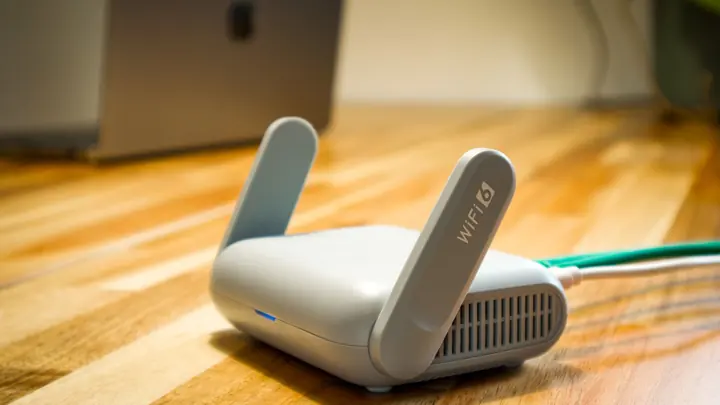
Office IT supports aged care facilities and villages with three to seventy-five staff using computers, from single care homes to small multi-site operators. We design site-wide Wi-Fi that covers wings and units, set up shared care devices that are fast to sign in to and safe to lose, manage staff accounts as people join and leave, and keep electronic care records backed up and available. Day-to-day support is remote, and our technicians work onsite in Auckland and Hamilton.
Common IT problems in this industry
Round-the-clock operation
Care records and medication systems are used through every shift. Maintenance and outages have to be planned around night staff as well as day staff.
Wi-Fi across large sites
Corridors, wings, separate buildings and thick fire walls make even coverage difficult, and dead spots stop care tablets syncing records.
High staff turnover
Caregivers join and leave often. Accounts that are not removed promptly leave old staff with access to resident records.
Resident and visitor Wi-Fi
Residents want reliable internet for calls with family, but that traffic must never share a network with care systems.
Shared care devices
Tablets and PCs at nurse stations are used by many people each shift, so they need quick sign-in and must not be left open.
Audit and documentation
Certification audits look at how resident information is protected. Managers need clear answers about access, backups and security.
What we set up for you
Site-wide Wi-Fi design
We survey the buildings and place managed access points so care wings, nurse stations, units and common areas all have a steady signal.
Separate resident network
Resident and visitor Wi-Fi is isolated from staff and care systems, with fair-use limits so one heavy user does not slow everyone else.
Shared devices done properly
Care tablets and nurse station PCs are managed centrally, sign in quickly, lock when idle and can be wiped remotely if one goes missing.
Joiner and leaver process
A simple checklist and a single place to create and remove accounts, so new staff are ready on their first shift and leavers lose access the same hour they finish.
Backed-up care records
Cloud care systems are protected with multi-factor sign-in for managers, and any local data, documents and Microsoft 365 are backed up and checked.
Out-of-hours awareness
Updates are scheduled around shift changes and medication rounds, and our monitoring flags network or internet failures as they happen.
Systems we support
We work with the software and equipment your business already relies on, and with your software vendors when something needs their help.
- Electronic care record and medication management systems
- Rostering, timesheet and payroll software
- interRAI assessments for residential care
- Incident and complaints recording tools
- Resident and family communication apps
- Village management and accounting software
- Microsoft 365 and Teams for managers and office staff
Start with a free IT health check
A technician reviews your computers, accounts, backups, security and network, then gives you a short written report with the risks ranked and a price to fix them. No charge, no obligation.
Book the health checkServices that fit
Networks & Wi-Fi
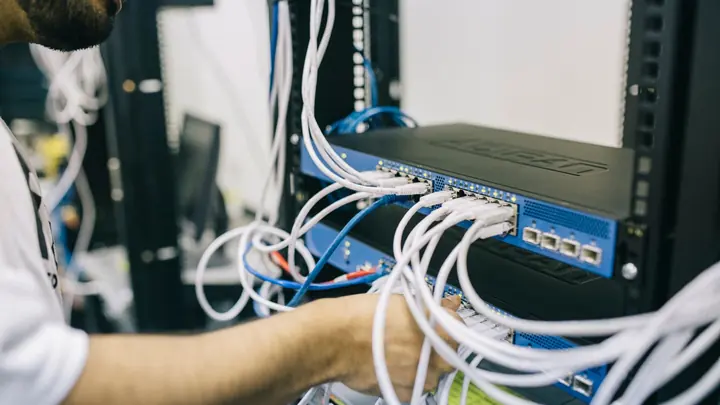
Firewalls, switches, Wi-Fi and structured cabling that are designed, labelled and documented.
Networks & Wi-Fi
Managed IT
One monthly price per person for support, security, updates and backups. Your outsourced IT team.
Managed IT
Cyber security
Practical protection against scams, ransomware and account takeover, set up and kept current.
Cyber securityIT for aged care & retirement villages: questions
Can you get Wi-Fi to every wing and unit?
Yes. We start with a site survey, then design and install managed access points, including point-to-point links between separate buildings where cabling is not practical. The design is quoted in writing first, and we handle the low-voltage data cabling ourselves.
How do we stop former staff accessing resident records?
We set up a joiner and leaver process with one place to create and disable accounts, and we tie access to the care system, email and shared devices together where the software allows. When a staff member leaves, one request removes their access.
Can residents have their own Wi-Fi safely?
Yes. Residents and visitors connect to a separate network that only reaches the internet. It cannot see care tablets, nurse station PCs or office systems, and we can set limits so streaming in one room does not slow down another.
Do you support facilities overnight?
Our help desk runs in business hours, and our monitoring alerts us to outages. For care-critical systems we plan resilience in advance, such as a backup internet connection and spare devices at the nurse station, so night staff are not left stuck.
What about the Health Information Privacy Code and audits?
We put in the technical safeguards the Code expects for resident information, including individual sign-ins, device encryption, separated networks and checked backups, and we provide written documentation managers can use when auditors ask how systems are protected.
Can you install call bells or electrical equipment?
No. Nurse call systems are a specialist area, and any mains electrical work needs a registered electrician. We look after the data network, Wi-Fi and computers, and we can coordinate with your nurse call and electrical contractors.
Other industries we work with
- Accountants & bookkeepers
- Law firms
- Medical & dental clinics
- Construction & trades
- Manufacturing
- Logistics & warehousing
- Retail & hospitality
- Property management
- Professional services
- Engineering & architecture
- Creative agencies
- Education & not-for-profit
- Insurance brokers
- Mortgage advisers
- Financial advisers
- Real estate agencies
- Body corporate managers
- Property developers
- Quantity surveyors
- Surveyors & planners
- Recruitment agencies
- HR consultancies
- Marketing & PR agencies
- Event companies
- Physiotherapy clinics
- Optometrists
- Pharmacies
- Veterinary clinics
- Specialist & private clinics
- Home & community care providers
- Counselling & psychology practices
- Chiropractors & osteopaths
- Beauty & skin clinics
- Gyms & fitness studios
- Early childhood centres
- Wholesale & distribution
- Importers & exporters
- Transport & freight companies
- Engineering workshops & fabricators
- Food & beverage manufacturers
- Horticulture & packhouses
- Wineries & vineyards
- Farms & agribusiness
- Aquaculture & seafood
- Electrical & plumbing contractors
- Civil construction & infrastructure
- Facilities management companies
- Schools
- Iwi & Māori organisations
- Councils & public sector agencies
- Churches & faith organisations
- Sports clubs & associations
- Hotels & motels
- Restaurants & cafes
- Car dealerships
- Automotive workshops
- Travel agencies
- Barristers & chambers
- Membership & industry associations