
IT support for gyms and fitness studios
Members expect the door to open, the class booking to work and the Wi-Fi to stream their playlist. We look after the systems that make a gym run, including the ones nobody notices until they stop.
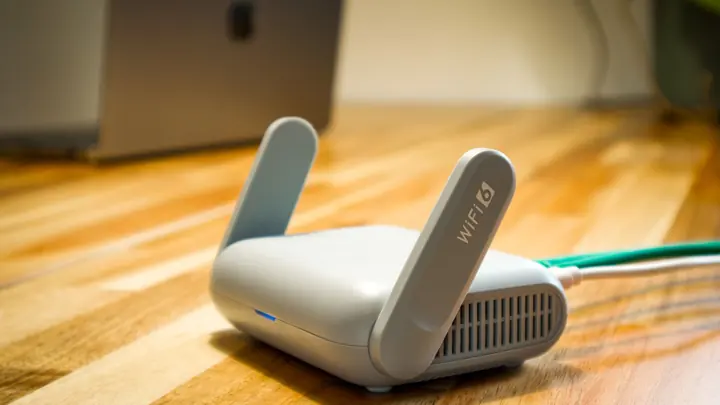
IT for gyms & fitness studios
A modern gym or studio is more connected than it looks. Members join online, sign direct debit agreements, book classes from an app and enter with a fob, card or phone. Reception sells memberships, supplements and personal training sessions. Cameras watch the floor and the entrance, especially at sites with unstaffed hours. Instructors run music and screens from tablets, and members expect fast Wi-Fi for their own workouts. Almost all of it depends on one internet connection and a network that was often installed in a hurry when the gym opened.
Member information needs care too. Gyms hold names, addresses, dates of birth, bank account details for direct debits and, sometimes, health questionnaires completed at sign-up. That information is covered by the Privacy Act 2020, and card payments bring expectations from payment providers. Shared reception logins and staff turnover, common in fitness, make it easy for old accounts to linger with access to the member database long after someone has moved on.
Office IT supports gyms and fitness studios with three to seventy-five staff, from boutique studios to multi-site clubs. We set up resilient internet and member Wi-Fi, make sure door access and camera systems have a dependable network underneath them, secure the member management and payment systems and manage staff accounts as people come and go. We do the low-voltage data work for cameras and access points ourselves, with technicians onsite in Auckland and Hamilton and remote support elsewhere.
Common IT problems in this industry
Unstaffed hours
Sites open early or late without staff rely completely on door access, cameras and internet. A failure means members locked out or a site unwatched.
Member Wi-Fi demand
Members stream music and video during workouts, often all at once at peak times, which overwhelms consumer-grade Wi-Fi.
Member and bank details
Membership systems hold personal details and direct debit information that must be protected under the Privacy Act 2020.
Staff turnover
Reception and coaching staff change often, and shared logins to the member system rarely get updated when someone leaves.
Many connected devices
Door controllers, cameras, sound systems, screens and tablets all share one network unless it has been designed properly.
Busy reception
Sign-ups, retail sales, class check-ins and card payments all happen at a single desk during the peak hour rush.
What we set up for you
Resilient internet
A backup mobile connection takes over automatically, keeping door access, bookings and payments working if the main line fails.
Member Wi-Fi built for crowds
Business-grade access points sized for peak numbers, with member traffic kept on its own network and limited so it cannot slow the front desk.
Segmented building network
Door access, cameras, payments, staff devices and member Wi-Fi each have their own segment, so a problem in one cannot reach the others.
CCTV with remote viewing
Camera systems installed and networked properly, with secure remote viewing for managers and recordings kept for an agreed period.
Individual staff accounts
Each staff member has their own login to the member system and email, removed promptly when they leave.
Dependable front desk
Reception PCs, card terminals, receipt printers and check-in devices set up and supported for the busiest hours.
Systems we support
We work with the software and equipment your business already relies on, and with your software vendors when something needs their help.
- Gym and studio management platforms for memberships and class booking
- Member apps for bookings and check-in
- Door access and key fob control systems
- Direct debit and recurring billing services
- CCTV recording and remote viewing apps
- Point-of-sale and EFTPOS for retail and personal training
- Microsoft 365 for staff email and documents
Start with a free IT health check
A technician reviews your computers, accounts, backups, security and network, then gives you a short written report with the risks ranked and a price to fix them. No charge, no obligation.
Book the health checkServices that fit
Networks & Wi-Fi
Firewalls, switches, Wi-Fi and structured cabling that are designed, labelled and documented.
Networks & Wi-Fi
CCTV & access control
Office CCTV and door access control on your network, set up securely and managed alongside the rest of your IT.
CCTV & access control
Internet & phones
Business fibre, backup connections and cloud phone systems, set up and supported by the same team.
Internet & phonesIT for gyms & fitness studios: questions
Can you install CCTV and access points for our gym?
Yes. We design the camera and Wi-Fi layout, run the low-voltage data cabling and set up the network, recording and remote viewing. The project is quoted in writing first, and any new power outlets are done by a registered electrician.
Our members complain about slow Wi-Fi. Can you fix it?
Usually. We measure how the current Wi-Fi performs at peak times, then replace or add business-grade access points sized for the number of members, and put member traffic on its own network so it does not compete with reception and payments.
What happens to door access if the internet goes down?
Many access systems keep working locally, but anything cloud-based, such as app entry or new member activation, needs a connection. A backup mobile link keeps those working, and we can check how your system behaves in an outage.
How do we protect member bank details?
Member and direct debit information should stay inside your membership platform and payment provider, protected by individual staff logins with multi-factor sign-in. We remove shared accounts, set up a leaver process and filter the phishing emails that target gym staff.
Can you look after several clubs?
Yes. We set each site up to the same standard, document the network and devices and give managers a single contact for every location. Remote support covers any site in New Zealand, and technicians visit sites in Auckland and Hamilton.
Which plan suits a studio with a small team?
A studio with a few office and reception staff often starts on Essentials at $69 per user per month plus GST. Larger clubs that want email security and Microsoft 365 backup choose Managed at $119, and project work such as cameras or Wi-Fi is quoted separately.
Other industries we work with
- Accountants & bookkeepers
- Law firms
- Medical & dental clinics
- Construction & trades
- Manufacturing
- Logistics & warehousing
- Retail & hospitality
- Property management
- Professional services
- Engineering & architecture
- Creative agencies
- Education & not-for-profit
- Insurance brokers
- Mortgage advisers
- Financial advisers
- Real estate agencies
- Body corporate managers
- Property developers
- Quantity surveyors
- Surveyors & planners
- Recruitment agencies
- HR consultancies
- Marketing & PR agencies
- Event companies
- Physiotherapy clinics
- Optometrists
- Pharmacies
- Veterinary clinics
- Specialist & private clinics
- Aged care & retirement villages
- Home & community care providers
- Counselling & psychology practices
- Chiropractors & osteopaths
- Beauty & skin clinics
- Early childhood centres
- Wholesale & distribution
- Importers & exporters
- Transport & freight companies
- Engineering workshops & fabricators
- Food & beverage manufacturers
- Horticulture & packhouses
- Wineries & vineyards
- Farms & agribusiness
- Aquaculture & seafood
- Electrical & plumbing contractors
- Civil construction & infrastructure
- Facilities management companies
- Schools
- Iwi & Māori organisations
- Councils & public sector agencies
- Churches & faith organisations
- Sports clubs & associations
- Hotels & motels
- Restaurants & cafes
- Car dealerships
- Automotive workshops
- Travel agencies
- Barristers & chambers
- Membership & industry associations