
IT support for professional services firms
Consultancies, recruiters, HR and advisory firms sell their people's time and expertise. We make Microsoft 365, Teams and hybrid working run smoothly so that time goes to clients.
IT for professional services
Most professional services firms now run almost entirely in Microsoft 365. Proposals are written in Word, models built in Excel, client meetings held in Teams and project files kept in SharePoint and OneDrive. When it is set up well, staff can work from the office, home or a client's boardroom with the same files and tools. When it grows without a plan, it becomes a maze of duplicated folders, open sharing links and Teams nobody remembers creating.
Client work also brings obligations. Contracts often include confidentiality and data protection clauses, larger clients send security questionnaires before they sign, and insurers ask about multi-factor sign-in and backups when cyber cover is renewed. A small firm needs straight answers to those questions. Recruitment agencies and HR advisers carry an extra load, holding CVs, references and employment records for people who never became clients and still have rights over that information under the Privacy Act 2020. Getting the basics right is what lets a firm say yes to the next large contract.
Office IT supports consultancies, recruitment agencies, HR and advisory firms, financial advisers and similar teams with three to seventy-five staff. We tidy and secure Microsoft 365, set up laptops that are ready to work on day one, make meeting rooms simple to use, and help you answer client and insurer security questions with confidence. We keep your setup documented, so the next questionnaire takes an hour rather than a week, and we flag anything you would need to change before you sign a contract that requires it.
Common IT problems in this industry
Microsoft 365 sprawl
Teams, SharePoint sites and OneDrive shares multiply until nobody knows where the current version of a document lives or who outside the firm can see it.
Hybrid and travelling staff
Staff split time between office, home and client sites. They need reliable laptops, secure sign-in and good video calls wherever they are.
Client security questionnaires
Larger clients and government agencies ask detailed security questions before giving out work. Without good answers, a small firm can lose the contract.
Personal information in CRMs
Recruiters and HR advisers hold CVs, references and employment details covered by the Privacy Act 2020, often in several systems at once.
Meeting rooms that frustrate
Screens, cameras and microphones that don't connect first time make the firm look disorganised in front of clients.
Fast onboarding
Growing firms hire contractors and staff at short notice and need them working from their first morning, then cleanly removed when they finish.
What we set up for you
Microsoft 365 structure and governance
A clear layout for Teams and SharePoint, sensible external sharing settings and regular reviews of who has access to client areas.
Ready-to-work laptops
Laptops that set themselves up with your apps and settings when a new person signs in, managed and encrypted from the start.
Strong, simple sign-in
Multi-factor sign-in with phone app approvals, conditional access rules and alerts on risky logins, without making people sign in all day.
Meeting room setup
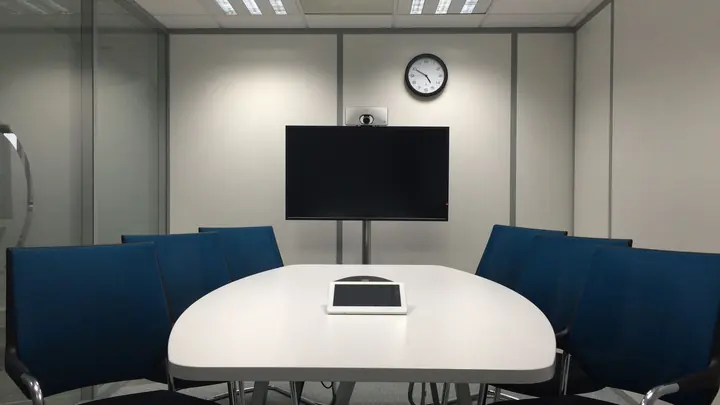
Teams meeting rooms or simple screen-sharing setups that connect first time, with cameras and microphones placed for the room.
Answers for security questionnaires
We document your security controls and help you answer client and insurer questionnaires accurately, without overstating anything.
Backups for Microsoft 365
Mail, OneDrive, SharePoint and Teams backed up and checked, because the built-in recycle bin is not a backup.
Systems we support
We work with the software and equipment your business already relies on, and with your software vendors when something needs their help.
- Microsoft 365 with Teams, SharePoint and OneDrive
- CRM systems such as HubSpot or Microsoft Dynamics
- Recruitment and applicant tracking systems
- Time tracking and project billing tools
- Xero or MYOB accounting
- Electronic signature tools for proposals and contracts
- Zoom and Teams for client meetings
Start with a free IT health check
A technician reviews your computers, accounts, backups, security and network, then gives you a short written report with the risks ranked and a price to fix them. No charge, no obligation.
Book the health checkServices that fit

Microsoft 365
Licences, email, Teams and SharePoint set up properly, moved across safely and managed for you.
Microsoft 365
Managed IT
One monthly price per person for support, security, updates and backups. Your outsourced IT team.
Managed IT
Cyber security
Practical protection against scams, ransomware and account takeover, set up and kept current.
Cyber securityIT for professional services: questions
Our SharePoint and Teams are a mess. Can you fix that?
Yes. We map what exists, agree a simple structure with you, move content into it and archive what is no longer needed. We then set sharing rules and review access regularly so it stays tidy.
Can you help us answer a client's security questionnaire?
Yes. We document the security controls we have in place for you and help you answer each question accurately. If a client asks for something you don't yet have, we tell you what it would take to add it.
How do you set up laptops for new starters?
New laptops are registered to your Microsoft 365 so they install apps, apply security settings and encrypt themselves when the new person first signs in. We prepare accounts and access in advance so they can work from their first morning.
Is Microsoft 365 backed up by Microsoft?
Microsoft keeps the service running but its retention is limited, and deleted or overwritten files can be lost after the retention period ends. Our Managed and Complete plans include a separate Microsoft 365 backup that we check.
Can you make our meeting rooms easier to use?
Yes. We set up screens, cameras, microphones and Teams or screen-sharing devices so meetings start with one tap, and we cable the room where Wi-Fi isn't reliable enough.
Which plan suits a consultancy?
Most choose the Managed plan at $119 per user per month plus GST. Firms facing frequent client security reviews often prefer Complete at $169, which adds staff security training, enforced device policies and onsite support.
Other industries we work with
- Accountants & bookkeepers
- Law firms
- Medical & dental clinics
- Construction & trades
- Manufacturing
- Logistics & warehousing
- Retail & hospitality
- Property management
- Engineering & architecture
- Creative agencies
- Education & not-for-profit
- Insurance brokers
- Mortgage advisers
- Financial advisers
- Real estate agencies
- Body corporate managers
- Property developers
- Quantity surveyors
- Surveyors & planners
- Recruitment agencies
- HR consultancies
- Marketing & PR agencies
- Event companies
- Physiotherapy clinics
- Optometrists
- Pharmacies
- Veterinary clinics
- Specialist & private clinics
- Aged care & retirement villages
- Home & community care providers
- Counselling & psychology practices
- Chiropractors & osteopaths
- Beauty & skin clinics
- Gyms & fitness studios
- Early childhood centres
- Wholesale & distribution
- Importers & exporters
- Transport & freight companies
- Engineering workshops & fabricators
- Food & beverage manufacturers
- Horticulture & packhouses
- Wineries & vineyards
- Farms & agribusiness
- Aquaculture & seafood
- Electrical & plumbing contractors
- Civil construction & infrastructure
- Facilities management companies
- Schools
- Iwi & Māori organisations
- Councils & public sector agencies
- Churches & faith organisations
- Sports clubs & associations
- Hotels & motels
- Restaurants & cafes
- Car dealerships
- Automotive workshops
- Travel agencies
- Barristers & chambers
- Membership & industry associations