
IT support for engineering workshops and fabricators
A fabrication shop turns drawings into steel, and every mistake in the file becomes a mistake in the metal. We look after the computers, files and networks that carry a job from quote to the cutting table.

IT for engineering workshops & fabricators
Engineering workshops and fabricators sit between the design office and the factory. A job starts with a customer drawing or model, gets quoted, is detailed or nested in CAD, sent to a plasma, laser or press brake, then welded, finished and delivered. Each step relies on the right revision of the right file being in the right place. When a machine operator cuts from last week's drawing, the result is scrap metal, lost hours on the floor and a very awkward conversation with the customer about the delivery date.
Workshop IT is rarely planned. A CAD workstation in the office, a cheap PC beside the machine, a USB stick carrying cut files across the floor, and a router somewhere above the smoko room. Dust, heat and vibration shorten the life of ordinary computers, while machine controllers often run old versions of Windows that cannot be updated. Meanwhile the office handles quotes, job cards, timesheets and invoices, often through a separate job management system that nobody has ever properly connected to the accounts.
Office IT supports engineering workshops and fabricators with three to seventy-five staff. In Auckland and Hamilton our technicians come onsite, which suits the many workshops across South Auckland and the Waikato; shops elsewhere are supported remotely, with planned visits for installation work. We tidy up file storage and revisions, set up suitable computers for the floor, isolate older machine PCs safely on the network, and keep the office systems secure. Our work is data and network only; any wiring to machines is done by your electrician.
Common IT problems in this industry
Wrong drawing revisions
When files are copied to desktops and USB sticks, operators can end up cutting from an old revision, which wastes material and machine time.
Machine PCs on old Windows
CNC and laser controllers often run software that ties them to an unsupported operating system. They cannot be patched, so they need protecting another way.
Dust and heat on the floor
Standard office computers clog and overheat in a workshop. Failures at the machine stop production until a replacement is found.
Heavy CAD workloads
Modelling, nesting and detailing need capable workstations with the right graphics cards. Slow machines cost designer hours on every job.
Licence management
CAD and nesting software is expensive, often tied to a single machine or user, and easy to lose track of when staff change or computers are replaced.
Job costing and time capture
Labour hours recorded on paper or in a separate app may never reach the job cost, so the business cannot see which work actually makes money.
What we set up for you
One controlled file store
Drawings and cut files live in one shared location with clear folders by job and revision, so the floor always opens the current file and old versions are archived.
Segmented machine network
Older machine controllers are placed on their own network segment with no internet access, so they can still receive files without being exposed.
Workshop-ready computers
Sealed or fanless PCs, protective enclosures and wall-mounted screens near the machines last far longer than office desktops on the floor.
Specified CAD workstations
We spec and supply workstations matched to your CAD and nesting software, with all hardware quoted in writing before ordering.
Software licence register
We keep a record of CAD, nesting and office licences, who uses them and when they renew, so moves and replacements do not strand a licence.
Shop floor Wi-Fi and cabling
Business access points and data cabling reach the floor so tablets, job clocks and machine PCs stay connected. Mains power work stays with your electrician.
Systems we support
We work with the software and equipment your business already relies on, and with your software vendors when something needs their help.
- SolidWorks, Autodesk Inventor and AutoCAD
- Nesting and CAM software for plasma, laser and CNC
- Steel detailing and fabrication management software
- Job management and digital timesheet apps
- Xero and MYOB for job invoicing
- Microsoft 365, Outlook and SharePoint
Start with a free IT health check
A technician reviews your computers, accounts, backups, security and network, then gives you a short written report with the risks ranked and a price to fix them. No charge, no obligation.
Book the health checkServices that fit

IT support
Remote and onsite help when you need it, billed by the hour. No plan, no contract.
IT support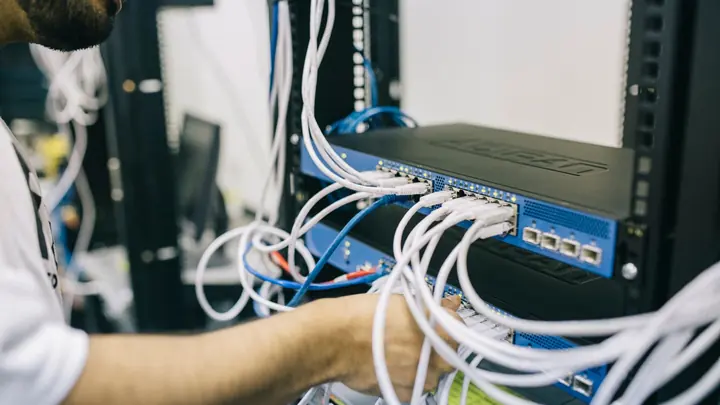
Networks & Wi-Fi
Firewalls, switches, Wi-Fi and structured cabling that are designed, labelled and documented.
Networks & Wi-Fi
Backup & disaster recovery
Backups of Microsoft 365, servers and key files, checked daily and test-restored, plus a written recovery plan.
Backup & disaster recoveryIT for engineering workshops & fabricators: questions
Our CNC machine runs Windows 7. Is that a problem?
It is a risk if it is connected to the internet or the main office network. Often the controller software cannot be upgraded, so the safe approach is to isolate it on its own network segment with no internet, transfer files through a controlled shared folder, and stop USB sticks travelling between it and office PCs.
How do we stop people cutting from old drawings?
Keep one master location for released drawings and cut files, organised by job, with superseded revisions moved to an archive folder automatically or by a simple rule. We set up the storage and permissions so the floor can only open released files.
Can you supply CAD workstations?
Yes. We specify machines to suit your software and the size of your models, then quote in writing before ordering. We also set them up, install drivers and licences, and look after them through their life.
Will you wire our machines?
We install data cabling, network points and Wi-Fi, which are low-voltage work. Power to machines and any mains wiring must be done by a registered electrician, and we are happy to coordinate with yours.
We are a rural engineering shop. Can you help?
Yes. Day-to-day support is done remotely wherever you are in New Zealand. Onsite visits are standard in Auckland and Hamilton, and for sites further out we plan visits for installation projects by arrangement.
What would ongoing support cost?
Office and design staff are usually on the Managed plan at $119 per user per month plus GST, with shop floor PCs covered as part of the agreement. Pay as you go is $109 an hour remote or $159 an hour onsite plus GST if you would rather start that way.
Other industries we work with
- Accountants & bookkeepers
- Law firms
- Medical & dental clinics
- Construction & trades
- Manufacturing
- Logistics & warehousing
- Retail & hospitality
- Property management
- Professional services
- Engineering & architecture
- Creative agencies
- Education & not-for-profit
- Insurance brokers
- Mortgage advisers
- Financial advisers
- Real estate agencies
- Body corporate managers
- Property developers
- Quantity surveyors
- Surveyors & planners
- Recruitment agencies
- HR consultancies
- Marketing & PR agencies
- Event companies
- Physiotherapy clinics
- Optometrists
- Pharmacies
- Veterinary clinics
- Specialist & private clinics
- Aged care & retirement villages
- Home & community care providers
- Counselling & psychology practices
- Chiropractors & osteopaths
- Beauty & skin clinics
- Gyms & fitness studios
- Early childhood centres
- Wholesale & distribution
- Importers & exporters
- Transport & freight companies
- Food & beverage manufacturers
- Horticulture & packhouses
- Wineries & vineyards
- Farms & agribusiness
- Aquaculture & seafood
- Electrical & plumbing contractors
- Civil construction & infrastructure
- Facilities management companies
- Schools
- Iwi & Māori organisations
- Councils & public sector agencies
- Churches & faith organisations
- Sports clubs & associations
- Hotels & motels
- Restaurants & cafes
- Car dealerships
- Automotive workshops
- Travel agencies
- Barristers & chambers
- Membership & industry associations