
IT support for barristers and chambers
Barristers sole share rooms, reception and printers but not their briefs. We set up chambers so each barrister's work stays private, devices are ready for court and nothing important depends on a single laptop.
IT for barristers & chambers
Chambers are an unusual setup. Each barrister sole runs their own practice with their own clients, instructing solicitors, finances and confidential briefs, yet they share a building, reception, meeting rooms, printers and usually an internet connection. Junior barristers, clerks and shared administrative staff move between practices. IT that treats chambers like a single firm risks one barrister's files being reachable by another, which is not acceptable when privilege and confidence are at stake.
Barristers also live on their laptops and tablets. Briefs, bundles, authorities and submissions travel to court, to client meetings and home, often with a hearing the next morning. A lost device, a corrupted bundle or a failed sync the night before a hearing is a serious problem. And because many barristers work alone, there is nobody down the corridor to check the backup is running or the email account is secure. Problems tend to surface at the worst moment, often in the middle of preparing for a trial.
Office IT supports shared chambers and individual barristers with practical, private IT. We separate each practice's network, accounts and storage while sharing the infrastructure that makes sense, keep court devices encrypted and synchronised, protect email from impersonation and back up every barrister's work. Chambers in Auckland and Hamilton get onsite support, and barristers elsewhere in New Zealand are supported remotely. Each barrister can see exactly what is set up for their own practice, and nothing is shared without their agreement.
Common IT problems in this industry
Shared building, separate practices
Network drives, printers and Wi-Fi are shared, but each barrister's files must stay private from other members of chambers.
Devices that go to court
Laptops and tablets carry entire case files out of the office every day. Loss or theft without encryption exposes privileged material.
Last-minute document failures
A sync conflict or a corrupted bundle the night before a hearing leaves no time for a slow recovery.
Working alone
Sole practitioners rarely have time to check backups, renew licences or review account security until something breaks.
Email impersonation
Fake fee payment requests and spoofed solicitor emails target barristers who handle invoices and instructions by email.
Shared printers and scanners
Confidential documents left in a shared print tray or sent to the wrong scan folder can be seen by anyone in chambers.
What we set up for you
Separated practices
Each barrister has their own accounts and storage, and the shared network keeps practices apart while sharing the internet connection and printers.
Encrypted court devices
Laptops and tablets are encrypted, managed and set up to work offline in court, with files synchronised once back online.
Version history and backups
Document storage keeps version history and is backed up daily, so yesterday's bundle can be restored in minutes.
Secure printing
Print jobs are held until the barrister releases them at the printer, so confidential documents never sit in the tray.
Impersonation protection
Email authentication on each domain, filtering for lookalike senders and multi-factor sign-in on every barrister's mailbox.
Shared chambers support
One help desk for all members of chambers, with each barrister's account handled as a separate client relationship where they prefer.
Systems we support
We work with the software and equipment your business already relies on, and with your software vendors when something needs their help.
- Microsoft 365, Word and Outlook
- PDF bundle and annotation tools
- Online legal research databases
- Court electronic filing and hearing platforms
- Video hearing tools such as Microsoft Teams and Zoom
- Xero for practice accounts and fee invoices
Start with a free IT health check
A technician reviews your computers, accounts, backups, security and network, then gives you a short written report with the risks ranked and a price to fix them. No charge, no obligation.
Book the health checkServices that fit

Cyber security
Practical protection against scams, ransomware and account takeover, set up and kept current.
Cyber securityBackup & disaster recovery
Backups of Microsoft 365, servers and key files, checked daily and test-restored, plus a written recovery plan.
Backup & disaster recovery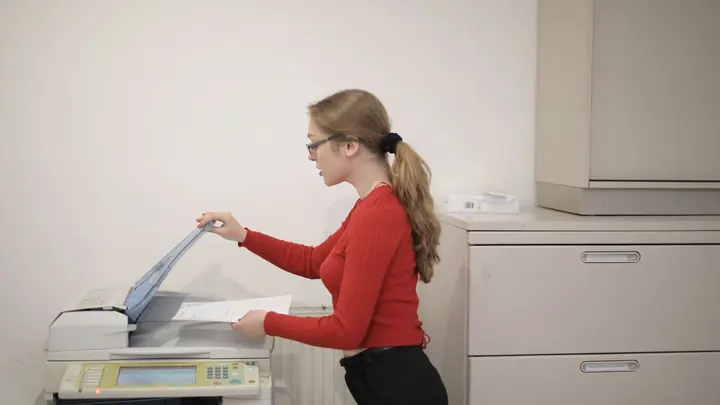
Printers, copiers & scanning
Office printers and copiers set up and supported: scan to email and folder, print management and fleet care.
Printers, copiers & scanningIT for barristers & chambers: questions
Can each barrister in chambers keep their own files private?
Yes. Each barrister gets separate accounts, storage and permissions. Shared services such as internet, Wi-Fi and printers are set up so practices cannot see each other's devices or documents.
How do we protect laptops taken to court?
Devices are encrypted and managed, protected with strong sign-in, and can be locked and wiped remotely if lost. Files are synchronised so work is available offline in court and safely backed up once reconnected.
What if a document is corrupted the night before a hearing?
With version history and daily backups, a previous version can usually be restored quickly. Our help desk works business hours, so we encourage barristers to check key bundles during the day before a hearing.
Can barristers be billed separately?
Yes. Chambers can share infrastructure costs while each barrister is billed for their own users, or chambers can be billed as one. We agree the arrangement in writing at the start.
Do you support barristers outside Auckland and Hamilton?
Yes, with remote support for devices, accounts and email. Chambers network projects outside those cities can be done onsite by arrangement and are quoted in writing first.
Which plan suits a barrister sole?
Many barristers choose the Managed plan at $119 per user per month plus GST, which covers remote support, email security and Microsoft 365 backup. Those who rarely need help may prefer pay as you go at $109 per hour remote.
Other industries we work with
- Accountants & bookkeepers
- Law firms
- Medical & dental clinics
- Construction & trades
- Manufacturing
- Logistics & warehousing
- Retail & hospitality
- Property management
- Professional services
- Engineering & architecture
- Creative agencies
- Education & not-for-profit
- Insurance brokers
- Mortgage advisers
- Financial advisers
- Real estate agencies
- Body corporate managers
- Property developers
- Quantity surveyors
- Surveyors & planners
- Recruitment agencies
- HR consultancies
- Marketing & PR agencies
- Event companies
- Physiotherapy clinics
- Optometrists
- Pharmacies
- Veterinary clinics
- Specialist & private clinics
- Aged care & retirement villages
- Home & community care providers
- Counselling & psychology practices
- Chiropractors & osteopaths
- Beauty & skin clinics
- Gyms & fitness studios
- Early childhood centres
- Wholesale & distribution
- Importers & exporters
- Transport & freight companies
- Engineering workshops & fabricators
- Food & beverage manufacturers
- Horticulture & packhouses
- Wineries & vineyards
- Farms & agribusiness
- Aquaculture & seafood
- Electrical & plumbing contractors
- Civil construction & infrastructure
- Facilities management companies
- Schools
- Iwi & Māori organisations
- Councils & public sector agencies
- Churches & faith organisations
- Sports clubs & associations
- Hotels & motels
- Restaurants & cafes
- Car dealerships
- Automotive workshops
- Travel agencies
- Membership & industry associations