
IT support for medical and dental clinics
When the practice management system stops, appointments, notes and prescriptions stop with it. We keep clinic IT steady and protect the health information your patients trust you with.
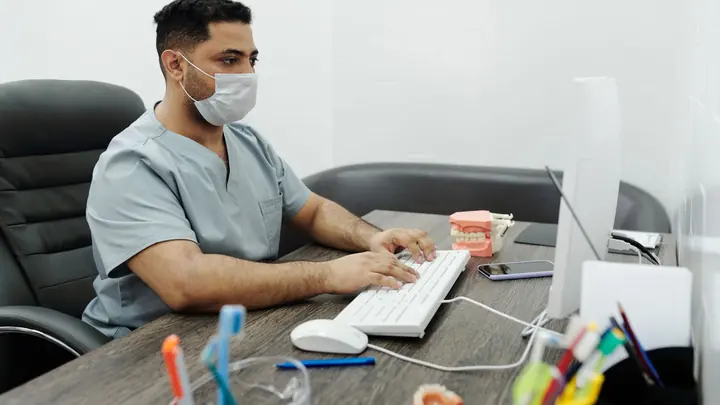
IT for medical & dental clinics
Health information is held to a higher standard than ordinary personal data. The Health Information Privacy Code 2020 sets rules for how clinics collect, store, use and share patient records, and Health New Zealand's Health Information Security Framework gives providers a reference for how those systems should be protected. Patients rarely think about any of this, until something goes wrong. A lost laptop with unencrypted notes, a misdirected email with results attached or a ransomware attack on the practice server can all become a privacy incident that has to be managed and explained.
A clinic also has a tighter daily rhythm than most offices. Reception needs the appointment book open the moment doors open, clinicians need notes, results and imaging in each room, and a frozen workstation means a patient waiting. Dental practices add X-ray sensors, intraoral cameras and imaging software that are fussy about drivers, updates and network paths. Physiotherapy and allied health clinics often add treatment room tablets, online booking and card readers to the mix, all of which need to work from the first appointment to the last.
Office IT supports GP practices, dental surgeries, physiotherapists and other allied health clinics with three to seventy-five staff. We look after the computers, network, Wi-Fi, Microsoft 365 and backups, work with your practice software vendor when needed, and set up security that suits a busy clinic without slowing clinicians down between patients. We plan changes around clinic hours, keep a written record of how your systems fit together, and explain things in plain terms to practice managers who already have plenty on their plate.
Common IT problems in this industry
Patient privacy obligations
Clinics must protect health information under the Health Information Privacy Code 2020, and a privacy breach that is likely to cause serious harm must be notified.
Shared clinical workstations
Several clinicians use the same room PC through the day. Shared logins make it impossible to tell who opened a record and easy to leave a record open.
Imaging equipment and drivers
X-ray sensors, intraoral cameras and imaging software often depend on specific drivers and versions, so careless updates can break them at the worst time.
Ransomware risk
Health providers are targeted because downtime is so disruptive. An infected PC on a flat network can reach the systems that hold every patient record.
Reception and phone pressure
Reception juggles patients, bookings, payments and messages. Printers, label printers, card readers and scanners there must simply work.
Guest and patient Wi-Fi
Waiting-room Wi-Fi is welcome, but it must be completely separate from the network that clinical systems use.
What we set up for you
Fast, individual sign-in
Each staff member signs in as themselves, with quick switching between users on shared room PCs so audit trails stay accurate without slowing consults.
Separated networks
Clinical systems, imaging equipment, staff devices and patient Wi-Fi each sit on their own network segment behind a managed firewall.
Careful update management
Windows and app updates are tested against your imaging and practice software before they reach clinical PCs, and scheduled outside clinic hours.
Backups for records and images
Local servers, imaging stores and Microsoft 365 are backed up and checked daily, with copies kept off site and restores tested.
Endpoint protection and email filtering
Threat detection on every computer and filtering for the phishing emails that commonly target clinic inboxes, such as fake lab or supplier messages.
Reception that works
Printers, label printers, scanners and card readers set up and supported so the front desk keeps moving.
Systems we support
We work with the software and equipment your business already relies on, and with your software vendors when something needs their help.
- GP practice management systems such as Medtech or Indici
- Dental practice management and charting software
- Digital X-ray, imaging and intraoral camera software
- Patient portals such as ManageMyHealth
- HealthLink secure messaging for referrals and results
- Online booking and SMS appointment reminders
- Microsoft 365 for email and practice documents
Start with a free IT health check
A technician reviews your computers, accounts, backups, security and network, then gives you a short written report with the risks ranked and a price to fix them. No charge, no obligation.
Book the health checkServices that fit

Managed IT
One monthly price per person for support, security, updates and backups. Your outsourced IT team.
Managed IT
Cyber security
Practical protection against scams, ransomware and account takeover, set up and kept current.
Cyber security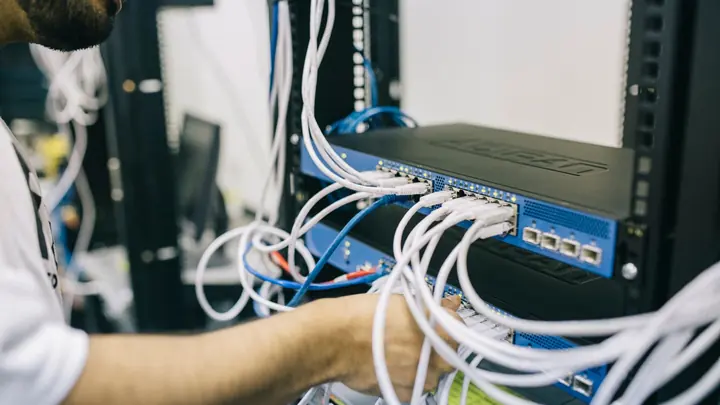
Networks & Wi-Fi
Firewalls, switches, Wi-Fi and structured cabling that are designed, labelled and documented.
Networks & Wi-FiIT for medical & dental clinics: questions
Do you support our practice management system?
We look after everything your practice system relies on: the PCs, server or cloud connection, network, sign-ins and backups. Clinical software issues are raised with your vendor, and we work with their support team so you aren't stuck in the middle.
How do you help us meet the Health Information Privacy Code?
We put in the technical safeguards the Code expects: individual sign-ins, encryption, access controls, separated networks, current updates and tested backups. Your privacy officer remains responsible for policies, and we provide the information they need about how systems are protected.
Will updates break our X-ray or imaging software?
We manage updates on imaging PCs separately, check compatibility with the software and device drivers, and schedule them after hours. If an update causes a problem we roll it back.
Can patient Wi-Fi be offered safely?
Yes. Guest Wi-Fi runs on a separate network that can only reach the internet, with no path to clinical systems, staff computers or the server.
What happens if a clinic PC fails during the day?
Most problems are fixed remotely. Where hardware has failed, a technician can attend in Auckland or Hamilton, and we recommend a configured spare PC for clinics where a lost room means lost appointments.
Do you do electrical work for new equipment?
No. We do low-voltage work only: data cabling, network equipment, Wi-Fi and computer setup. Power outlets and electrical wiring need a registered electrician, and we can coordinate with yours.
Other industries we work with
- Accountants & bookkeepers
- Law firms
- Construction & trades
- Manufacturing
- Logistics & warehousing
- Retail & hospitality
- Property management
- Professional services
- Engineering & architecture
- Creative agencies
- Education & not-for-profit
- Insurance brokers
- Mortgage advisers
- Financial advisers
- Real estate agencies
- Body corporate managers
- Property developers
- Quantity surveyors
- Surveyors & planners
- Recruitment agencies
- HR consultancies
- Marketing & PR agencies
- Event companies
- Physiotherapy clinics
- Optometrists
- Pharmacies
- Veterinary clinics
- Specialist & private clinics
- Aged care & retirement villages
- Home & community care providers
- Counselling & psychology practices
- Chiropractors & osteopaths
- Beauty & skin clinics
- Gyms & fitness studios
- Early childhood centres
- Wholesale & distribution
- Importers & exporters
- Transport & freight companies
- Engineering workshops & fabricators
- Food & beverage manufacturers
- Horticulture & packhouses
- Wineries & vineyards
- Farms & agribusiness
- Aquaculture & seafood
- Electrical & plumbing contractors
- Civil construction & infrastructure
- Facilities management companies
- Schools
- Iwi & Māori organisations
- Councils & public sector agencies
- Churches & faith organisations
- Sports clubs & associations
- Hotels & motels
- Restaurants & cafes
- Car dealerships
- Automotive workshops
- Travel agencies
- Barristers & chambers
- Membership & industry associations