
IT support for optometrists
An optometry practice is part clinic, part retail store and part imaging lab. We look after the computers and networks that connect all three, and keep patient images safe and easy to find.
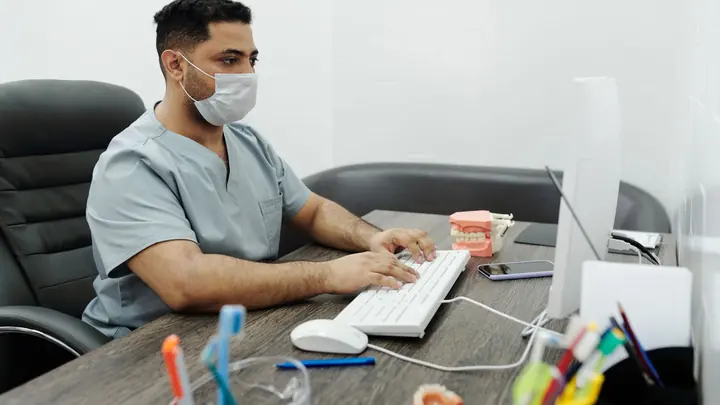
IT for optometrists
Few small practices run as much specialised equipment as an optometrist. Retinal cameras, OCT scanners, visual field analysers and autorefractors each come with their own software, and many of them rely on a dedicated PC that was set up by the equipment supplier and then left alone. Those machines need to talk to the practice system and share images with consulting rooms, yet they often run old versions of Windows and sit on the same network as the rest of the office.
The imaging itself adds up quickly. Each patient visit can produce several high-resolution scans, and those images are part of the clinical record, so they must be kept, protected and retrievable years later when a patient returns and the optometrist wants to compare. A full disk on the imaging PC, or a backup that quietly stopped running, is the kind of problem nobody discovers until an image is needed and cannot be found.
Office IT supports optometry practices with three to seventy-five staff. We work alongside your equipment suppliers rather than around them, keep diagnostic PCs protected without breaking their software, make sure images are stored and backed up properly, and keep the retail side of the practice running with reliable point-of-sale, card payments and front desk devices. We also keep a written record of every diagnostic PC and what it connects to, which makes equipment upgrades far less disruptive.
Common IT problems in this industry
Diagnostic PCs on old systems
Imaging devices are often tied to an older Windows version their software was certified on, which leaves them exposed if they share the main office network.
Growing image archives
Retinal photos and OCT scans take up a lot of space. Without planning, storage fills up and backups slow down or stop.
Equipment supplier access
Device suppliers need remote access for support and calibration. Unmanaged remote tools left open permanently are a common way in for attackers.
Clinic plus retail
Frame sales, contact lens orders and card payments run alongside clinical work, so the shop floor and consulting rooms have different needs on one network.
Patient privacy
Eye examinations and images are health information under the Health Information Privacy Code 2020 and need the same protection as any other clinical record.
Images needed in every room
Optometrists want to show patients their scans in the consulting room, which depends on fast, reliable links between rooms and the imaging store.
What we set up for you
Isolated equipment network
Diagnostic PCs and devices sit on their own network segment with only the connections their software needs, limiting the damage an old system could do.
Planned image storage
We size storage for your imaging, move older studies to suitable long-term storage if your software supports it, and watch disk space before it becomes a problem.
Controlled supplier access
Supplier remote access is switched on when needed and logged, rather than left open, so equipment can be supported without leaving a door unlocked.
Backups that include the images
Practice data and the image store are backed up and checked, with an off-site copy and periodic test restores of real patient images.
Reliable front of house
Point-of-sale, card terminals, label printers and the reception PC are set up and supported so frame and contact lens sales run smoothly.
Fast links to consulting rooms
Wired connections and properly configured shares mean scans open quickly on consulting room screens during the appointment.
Systems we support
We work with the software and equipment your business already relies on, and with your software vendors when something needs their help.
- Optometry practice management and recall software
- Retinal camera and OCT imaging software
- Visual field and other diagnostic device software
- Image viewing and comparison tools in consulting rooms
- Point-of-sale and stock control for frames and lenses
- Online booking and recall reminders
- Microsoft 365 for email and referral letters
Start with a free IT health check
A technician reviews your computers, accounts, backups, security and network, then gives you a short written report with the risks ranked and a price to fix them. No charge, no obligation.
Book the health checkServices that fit

Managed IT
One monthly price per person for support, security, updates and backups. Your outsourced IT team.
Managed IT
Networks & Wi-Fi
Firewalls, switches, Wi-Fi and structured cabling that are designed, labelled and documented.
Networks & Wi-Fi
Backup & disaster recovery
Backups of Microsoft 365, servers and key files, checked daily and test-restored, plus a written recovery plan.
Backup & disaster recoveryIT for optometrists: questions
Can you look after our diagnostic equipment PCs?
Yes, with care. We protect and monitor them, but we coordinate any updates with the equipment supplier, because some imaging software is only supported on particular versions. Where a PC cannot be updated, we isolate it on its own network segment instead.
How much storage do we need for retinal images?
It depends on the devices you use and how many patients you see. We look at how fast your image store has grown, then plan storage and backup capacity with headroom, and we monitor it so you get warning well before space runs out.
Our equipment supplier needs remote access. Is that a risk?
It can be if the access is always on and unmonitored. We set up supplier access so it is enabled when needed, protected with strong sign-in and recorded, which keeps support quick without leaving the practice exposed.
Are patient scans covered by the Health Information Privacy Code?
Yes. Eye examination results and images are health information. We put in the safeguards the Code expects, such as access control, encryption and tested backups, and your privacy officer manages the policies around them.
Can you help when we buy a new imaging device?
Yes. We plan where it connects, prepare the network and storage, coordinate installation with the supplier and test that images reach the practice software and consulting rooms. Larger projects are quoted in writing first.
Do you support practices outside Auckland and Hamilton?
Yes. Day-to-day support is delivered remotely anywhere in New Zealand. Our technicians work onsite in Auckland and Hamilton, and planned project work elsewhere can be arranged.
Other industries we work with
- Accountants & bookkeepers
- Law firms
- Medical & dental clinics
- Construction & trades
- Manufacturing
- Logistics & warehousing
- Retail & hospitality
- Property management
- Professional services
- Engineering & architecture
- Creative agencies
- Education & not-for-profit
- Insurance brokers
- Mortgage advisers
- Financial advisers
- Real estate agencies
- Body corporate managers
- Property developers
- Quantity surveyors
- Surveyors & planners
- Recruitment agencies
- HR consultancies
- Marketing & PR agencies
- Event companies
- Physiotherapy clinics
- Pharmacies
- Veterinary clinics
- Specialist & private clinics
- Aged care & retirement villages
- Home & community care providers
- Counselling & psychology practices
- Chiropractors & osteopaths
- Beauty & skin clinics
- Gyms & fitness studios
- Early childhood centres
- Wholesale & distribution
- Importers & exporters
- Transport & freight companies
- Engineering workshops & fabricators
- Food & beverage manufacturers
- Horticulture & packhouses
- Wineries & vineyards
- Farms & agribusiness
- Aquaculture & seafood
- Electrical & plumbing contractors
- Civil construction & infrastructure
- Facilities management companies
- Schools
- Iwi & Māori organisations
- Councils & public sector agencies
- Churches & faith organisations
- Sports clubs & associations
- Hotels & motels
- Restaurants & cafes
- Car dealerships
- Automotive workshops
- Travel agencies
- Barristers & chambers
- Membership & industry associations