
IT support for schools
A school runs on a timetable that does not wait for a broken projector or a forgotten password. We look after the devices, accounts and networks that teachers and office staff rely on, so lessons start on time.
IT for schools
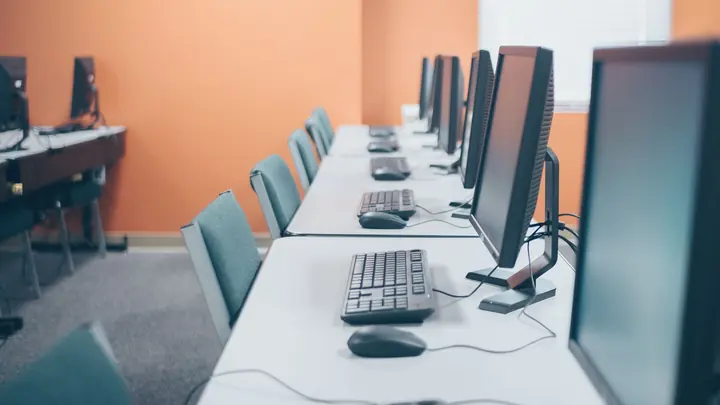
Schools carry an unusual mix of IT. The office runs payroll, enrolments and parent communication like any small business, while classrooms need dozens of student devices, projectors and panels, and a Wi-Fi network that copes when two hundred students sign in at once after the bell. Add a staffroom of teachers who each need their own laptop, accounts and shared planning folders, and the result is a network far busier than its headcount suggests.
Many schools lean on a teacher with an interest in technology, or a part-time contractor who visits once a fortnight. That keeps the lights on, but it rarely leaves time for the dull work: checking that leavers' accounts are closed at the end of the year, that filtering still applies to new devices, that the office server is backed up, and that student records are only visible to the staff who should see them.
Office IT gives schools a help desk for staff, planned onsite visits in Auckland and Hamilton, and remote support for schools elsewhere in New Zealand. We manage staff devices, keep student accounts tidy at the start and end of each year, set up classroom Wi-Fi properly and protect the office systems that hold personal information. Holidays become the time for upgrades and rollouts, not the scramble that follows them in week one of term.
Common IT problems in this industry
Account churn every year
New entrants, leavers, relief teachers and student teachers all need accounts created or closed on time. Left alone, old accounts pile up and keep access they no longer need.
Busy classroom Wi-Fi
A network that is fine for the office can stall when whole classes connect at once. Poor access point placement shows up as lessons that never quite get started.
Student information privacy
Health notes, learning support records and family details sit in the student management system and in shared folders. Staff need clear rules on who sees what.
Mixed fleets of devices
Chromebooks, Windows laptops, iPads, teacher laptops and BYOD devices all behave differently. Each needs its own approach to updates, filtering and management.
Public records duties
State and state-integrated schools have record-keeping obligations under public records rules. Files that only live in one person's inbox or a staff member's own drive are hard to account for.
Limited time for IT
Teachers who look after IT on the side do it between classes and after hours. Problems wait, documentation is thin and knowledge leaves when that person does.
What we set up for you
Start and end of year account runs
We create and close staff and student accounts from your roll, move leavers' work where it should go and remove access the day a staff member finishes.
Classroom-ready Wi-Fi
We survey classrooms, halls and the staffroom, place access points where students actually sit and separate staff, student and guest networks.
Managed staff laptops
Teacher laptops are encrypted, kept up to date and set up with the apps, printers and shared drives they need, so a replacement takes an hour, not a day.
Student device management
Chromebooks, iPads or Windows devices are enrolled in management so apps, restrictions and lost-device locks apply without touching each one by hand.
Protected office systems
The office, principal and finance accounts get multi-factor sign-in, email filtering and backups, because they hold the most sensitive information in the school.
Holiday project planning
Rollouts, replacements and network changes are scheduled for term breaks and quoted in writing first, so the first day back is quiet.
Systems we support
We work with the software and equipment your business already relies on, and with your software vendors when something needs their help.
- Microsoft 365 Education or Google Workspace for Education
- KAMAR and other student management systems
- Learning management and class sharing platforms
- Xero and school finance and payroll tools
- Interactive panels, projectors and screen casting
- Parent communication apps and newsletters
- Web filtering for student devices
Start with a free IT health check
A technician reviews your computers, accounts, backups, security and network, then gives you a short written report with the risks ranked and a price to fix them. No charge, no obligation.
Book the health checkServices that fit

Managed IT
One monthly price per person for support, security, updates and backups. Your outsourced IT team.
Managed IT
Networks & Wi-Fi
Firewalls, switches, Wi-Fi and structured cabling that are designed, labelled and documented.
Networks & Wi-Fi
Microsoft 365
Licences, email, Teams and SharePoint set up properly, moved across safely and managed for you.
Microsoft 365IT for schools: questions
Do you work with schools that use Google rather than Microsoft?
Yes. Many schools run Google Workspace for Education for students and Microsoft 365 or a mix for staff. We manage accounts, sharing and security in whichever platform you use and keep the two consistent where both are in play.
Can you help with Chromebooks and iPads, not just Windows?
Yes. We enrol student devices in the right management console so apps, settings and restrictions are pushed centrally. A lost or stolen device can be locked, and devices can be reset and reassigned between year groups.
How do you handle the start of the school year?
Before term begins we work from your roll to create new accounts, archive leavers, check licences and prepare devices. We agree a date with the office so the work is done before students and new staff arrive.
Can you keep student records private?
We set permissions so student information is only visible to staff who need it, protect staff sign-ins with multi-factor authentication and keep sensitive files out of personal drives. Your principal and board decide the policies; we put them into practice.
Do you support schools outside Auckland and Hamilton?
Yes, by remote support for staff and devices. Onsite work outside Auckland and Hamilton is planned project work, arranged and quoted in advance, such as a Wi-Fi upgrade over the holidays.
Which plan suits a school?
Most schools cover office staff and teachers on the Managed plan at $119 per user per month plus GST and handle student devices as a separate managed fleet. We quote that part in writing after counting devices with you.
Other industries we work with
- Accountants & bookkeepers
- Law firms
- Medical & dental clinics
- Construction & trades
- Manufacturing
- Logistics & warehousing
- Retail & hospitality
- Property management
- Professional services
- Engineering & architecture
- Creative agencies
- Education & not-for-profit
- Insurance brokers
- Mortgage advisers
- Financial advisers
- Real estate agencies
- Body corporate managers
- Property developers
- Quantity surveyors
- Surveyors & planners
- Recruitment agencies
- HR consultancies
- Marketing & PR agencies
- Event companies
- Physiotherapy clinics
- Optometrists
- Pharmacies
- Veterinary clinics
- Specialist & private clinics
- Aged care & retirement villages
- Home & community care providers
- Counselling & psychology practices
- Chiropractors & osteopaths
- Beauty & skin clinics
- Gyms & fitness studios
- Early childhood centres
- Wholesale & distribution
- Importers & exporters
- Transport & freight companies
- Engineering workshops & fabricators
- Food & beverage manufacturers
- Horticulture & packhouses
- Wineries & vineyards
- Farms & agribusiness
- Aquaculture & seafood
- Electrical & plumbing contractors
- Civil construction & infrastructure
- Facilities management companies
- Iwi & Māori organisations
- Councils & public sector agencies
- Churches & faith organisations
- Sports clubs & associations
- Hotels & motels
- Restaurants & cafes
- Car dealerships
- Automotive workshops
- Travel agencies
- Barristers & chambers
- Membership & industry associations